Add lab results from a photo or PDF
Take a photo of your lab report or pick the PDF the lab emailed you, and the values and reference ranges are added to your medical record automatically. You can check and correct any recognized value by hand.
 Labvi
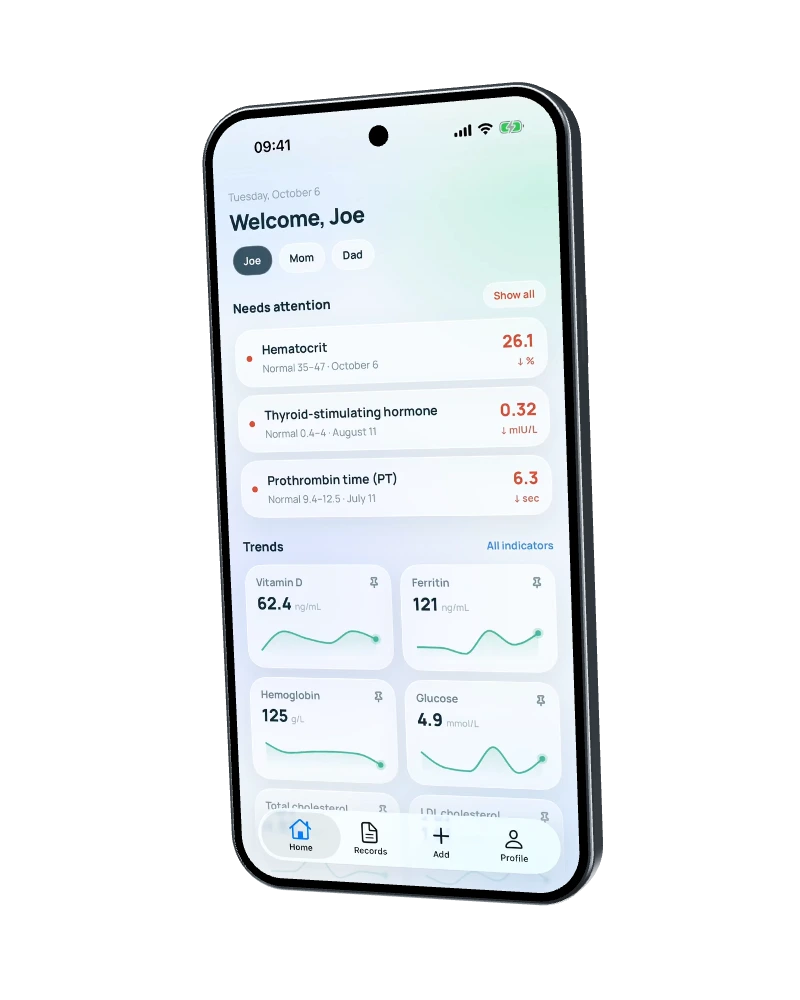
LabviYour personal health record, on your phone. Keep results from any lab in one place, see the history of each value on a chart, and compare new blood tests with past ones. All your data is stored only on your phone, and no account is needed.
Coming soon to the App Store and Google Play
Take a photo of your lab report or pick the PDF the lab emailed you, and the values and reference ranges are added to your medical record automatically. You can check and correct any recognized value by hand.
Each value on a chart by date, next to the reference range printed by the lab, so it’s easy to compare tests taken at different times and at different labs.
Put your lab results for the period you need into a PDF and, if needed, send it to your doctor.
All your data is stored only on your device (see “Privacy” for details). You can create an encrypted backup at any time in the app’s settings.
Keep up to 5 profiles for your whole family on one device, each with its own data and values.
*Available on the Max plan only.
Stored on your device. Results, photos and PDFs of documents, your Health Passport, and family profiles are not stored on our servers.
No account. We don’t ask for your email or phone number. Your plan and daily document limit are tied to a random device ID.
Deletion is built into the app. You can delete your data at any time in the app’s settings, under “Data.”
Free
Free now, $5.99/month later
Free now, $19.99/month later
*A document is anything you get from a lab or medical facility — test results, a medical report, an exam report, a doctor’s summary, and so on.
Only on your device: lab results, documents, your Health Passport, and family profiles are not stored on our servers. If you save a backup or send a PDF summary for your doctor yourself, the file ends up wherever you sent it. Our server holds no health data. It keeps only service records: a device ID, your trial and plan dates, and how many documents you add each day.
No. There’s no sign-up, and we don’t ask for your email or phone number. Your trial, plan, and daily limit are tied to a random device ID that the app creates itself. That’s why we can’t restore your data if you lose your phone: we don’t have it. That’s what the backup feature is for.
Yes, you can delete your data at any time. In the app, go to “Profile → Settings → Data → Delete all data.” This removes all profiles, documents, results, the Health Passport, temporary files, and settings from the device. It can’t be undone. Backups you saved outside the app are yours to delete. To delete the service records on the server (the device ID and so on), email [email protected] with the device ID shown on the “Data” screen. We’ll delete them within 10 business days.
No. Labvi is not a medical device. It doesn’t diagnose, interpret results, or give medical advice. The app stores your results, shows their history and charts, and compares values with the reference range printed on your lab’s report. The text recognition service can make mistakes when you add a document, so check the data against the original. The app does not replace a consultation with a doctor and is not a healthcare provider. We do not provide any medical services.
To extract the values or the text of a medical report, we use a text recognition service. A document is sent to it only when you add it yourself and confirm sending. Before adding a document, be sure to black out personal details such as your name, date of birth, and insurance number — that way, they never reach the service. What is sent is not the original photo but page images with the areas you blacked out burned into them, so whatever is underneath isn’t sent. Your name, Health Passport data, age, sex, and other personal details are not sent with the images. Our server holds the copy in memory only for the duration of the request, doesn’t write it to disk, and passes it to the text recognition service — we use OpenAI (USA). OpenAI doesn’t use requests for training but may keep them for up to 30 days to detect abuse.
Russian, English, German, French, Spanish, Portuguese, and Polish. You choose the language in the app’s settings.
You can add a document from any lab. The text recognition service can make mistakes, so you can check and correct saved values by hand.
Add your first document by photo or PDF and see how your values change from one test to the next.
Coming soon to the App Store and Google Play